I am trying to print some small flat letters(about 20mmx15mm) and 1mm thick using Elegoo Rapid PETG. I have ironing turned on but the final product has slightly raised mounds in it. I’ve consulted ChatGTP and it gave me many suggestions but none of them worked. I have previously printed some larger and thicker letters (2mm) using Jayo PLA+ with good results but this PETG is giving me problems.
Printer: Creality Ender 3 Max
It might just be the nature of the beast.
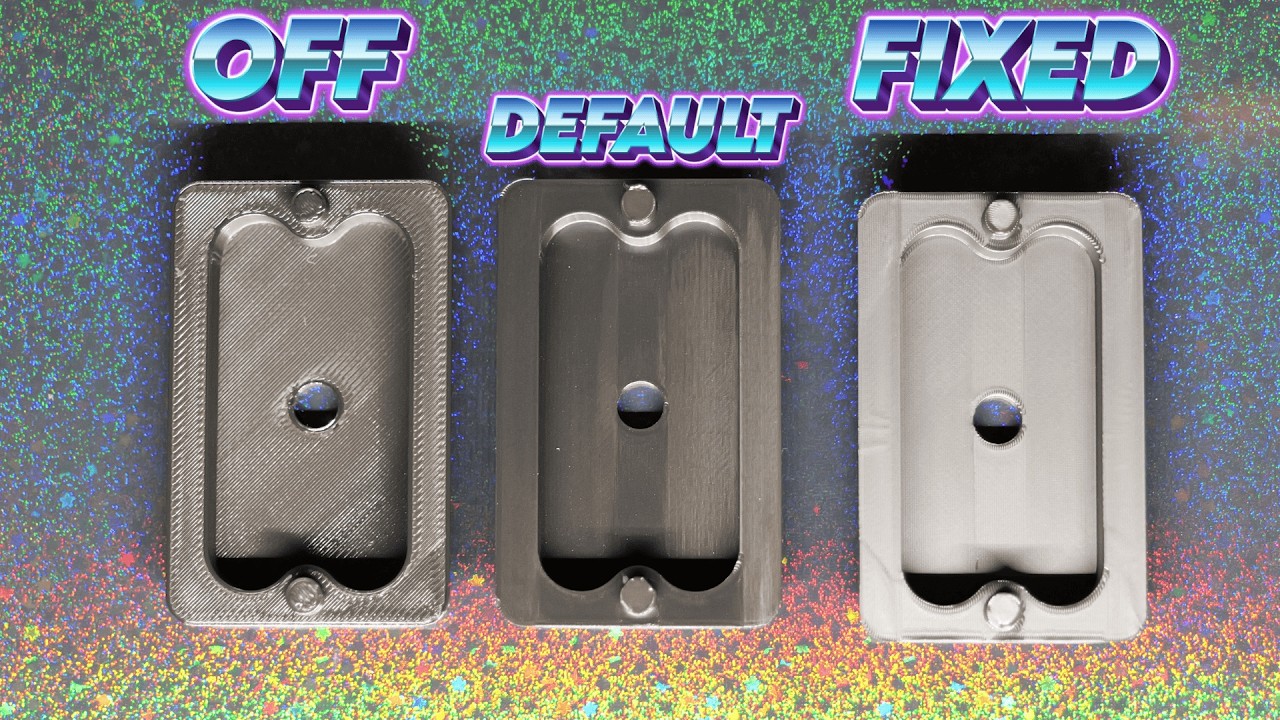
There are a number of factors to change ironing. This might help, there are a number of videos on ironing calibration. It is not a simple use this, Filament nozzle wear heat material all alter what looks best.
I’d like to throw in another suggestion, it’s something I’ve been testing out myself, instead of using the ironing feature try these settings:
Top surface speed: 50 mm/s
Top surface line width: between 60-80% nozzle diameter size (e.g. if 0.4 mm nozzle, set to maybe 0.24 - 0.30 mm)
Top shell layers: 5-6
Internal solid infill pattern: Monotonic Line
Top surface pattern: Monotonic line
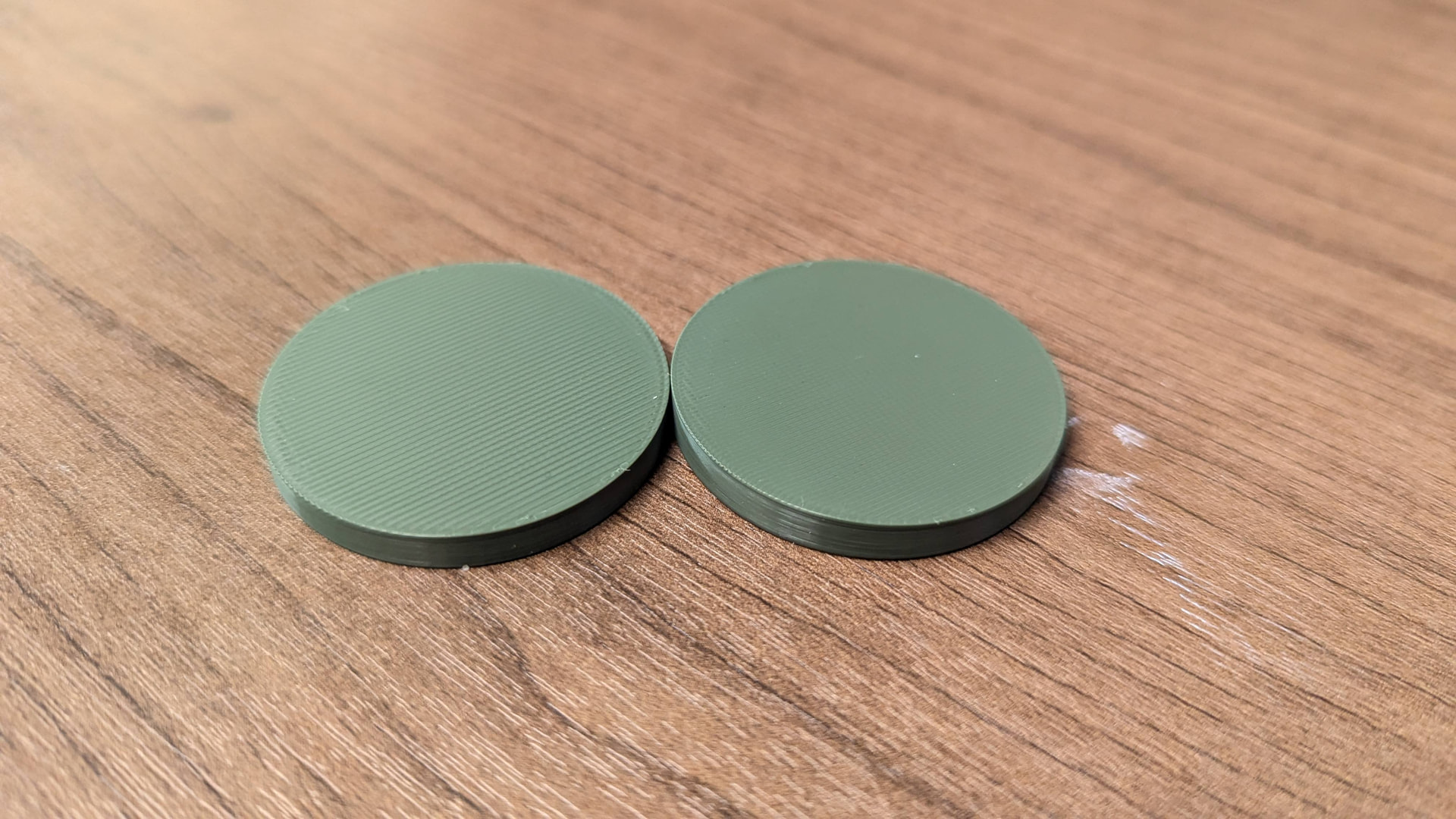
Photo Example
Left: has default 0.20mm profile settings with 0.4mm nozzle
Right: With settings mentioned above on a 0.4mm nozzle
It’s essentially “ironing without ironing” by printing slow with thin layer lines to get you somewhere close to the same result.
I’ve had some good results and it doesn’t have the same issues with smaller surface features or that sheering/clumping effect you sometimes get with larger features.
I might make a video about this in a bit on our socials to share with the community so if you test it and it works for you let me know your feedback!
-- Spencer
3D Printing Canada Team