Printer: FLSUN V400 (used to be a great printer);
about 300 jobs : the setting in question is Retraction Distance , in Cura it is the very first real setting under the Travel section;
the manufacturer printer profile default is 0.6 MM ( delta printer, direct drive );
after some research and contacting the manufactuer i set it at 0.9 mm in almost all my prints;
but was having stringing issues sometimes, so i printed a few retraction towers , some that went up to 7-9 MM; i was leery of that as the manufactuer recommended not exceeding 3 mm;
but the retraction towers all printed ok, granted they arent much of a load on the system;
so i was printing a Fantasy Castle, large, 30 hours estimate, and decided to go retraction distance 2.0 mm,
somewhat arbitrary really;
used an .stl that printed fine before, only the retraction distance setting was different;
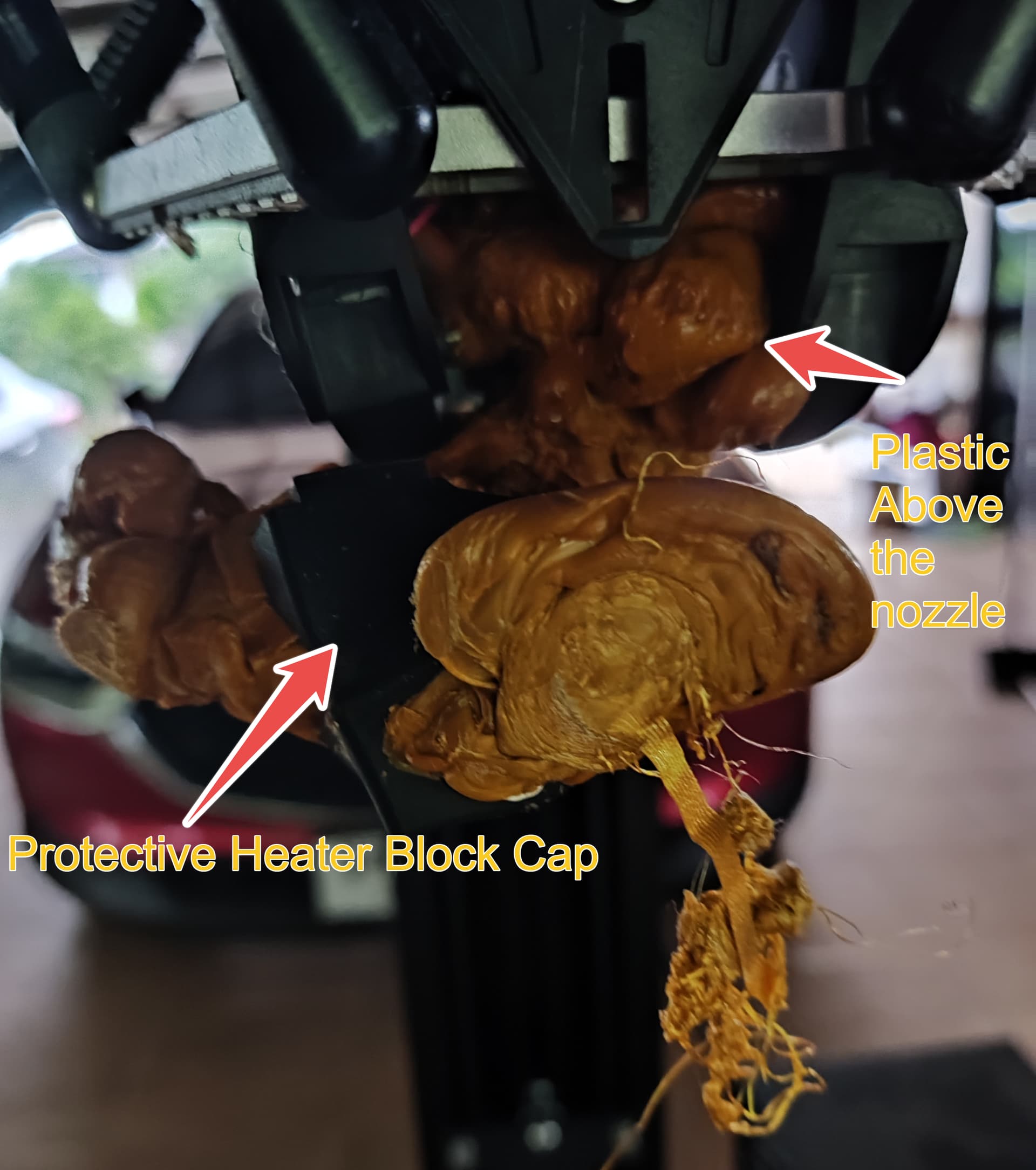
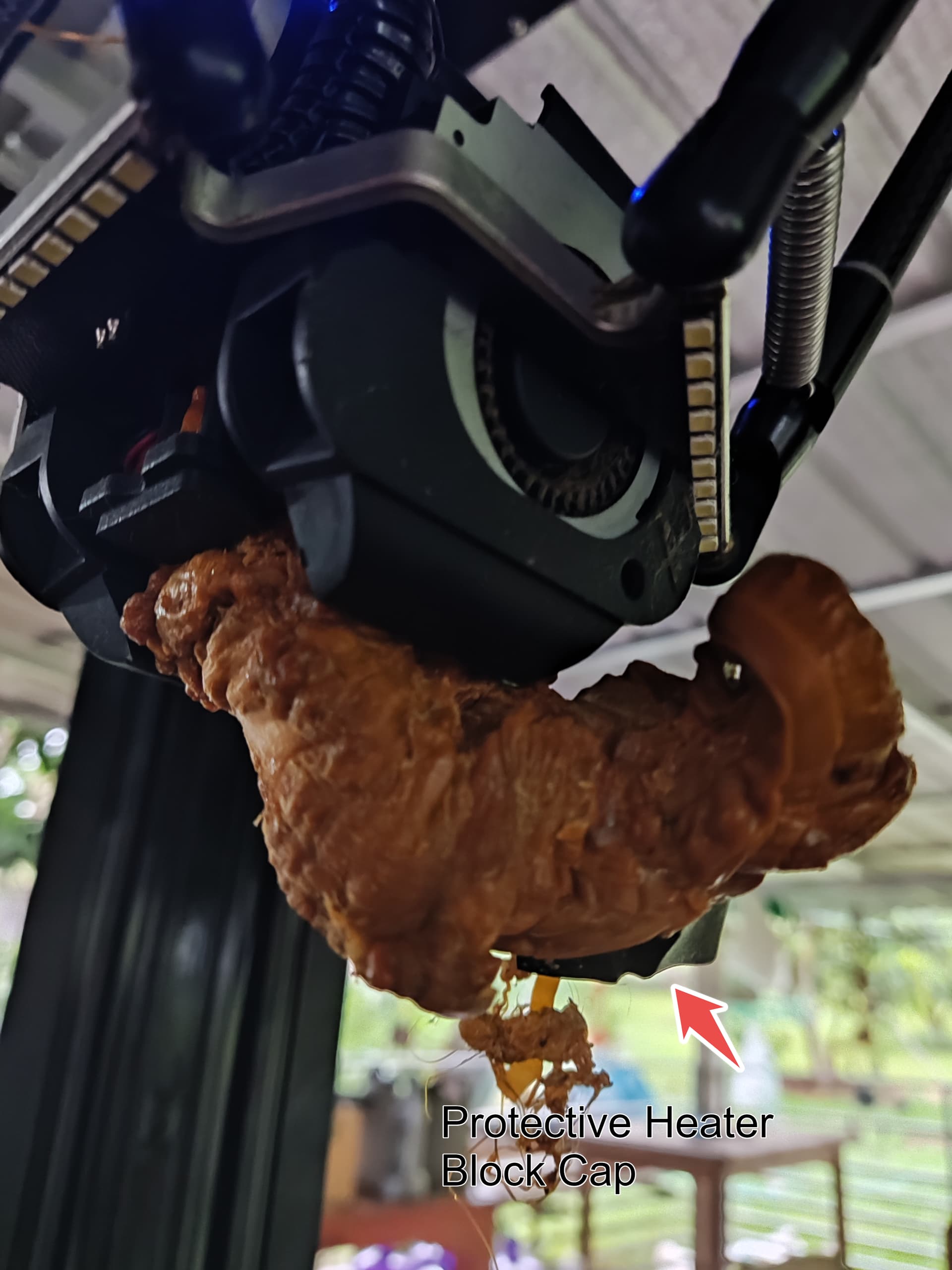
let it rip and came back a few hours later to find the mess in the photos;
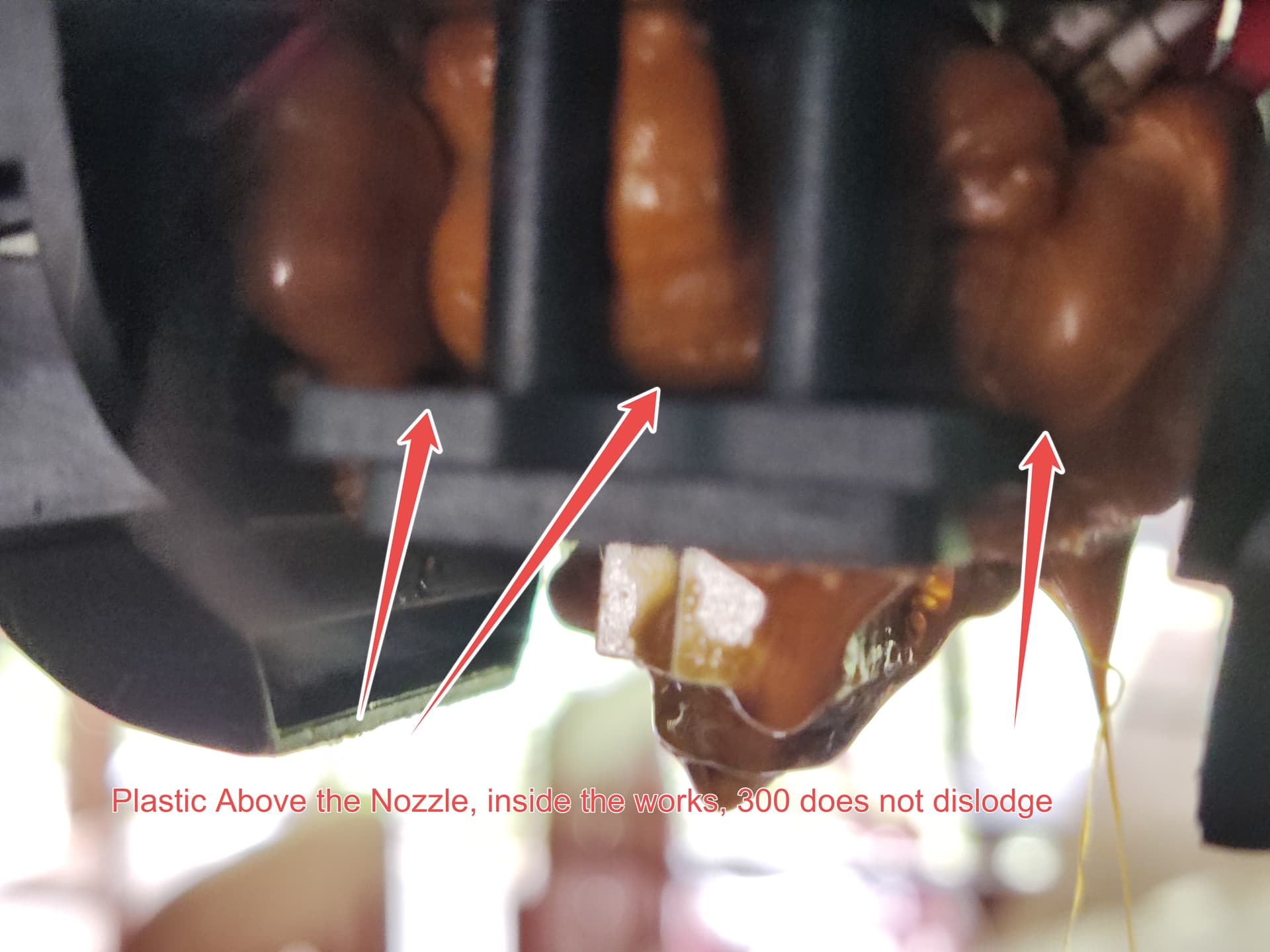
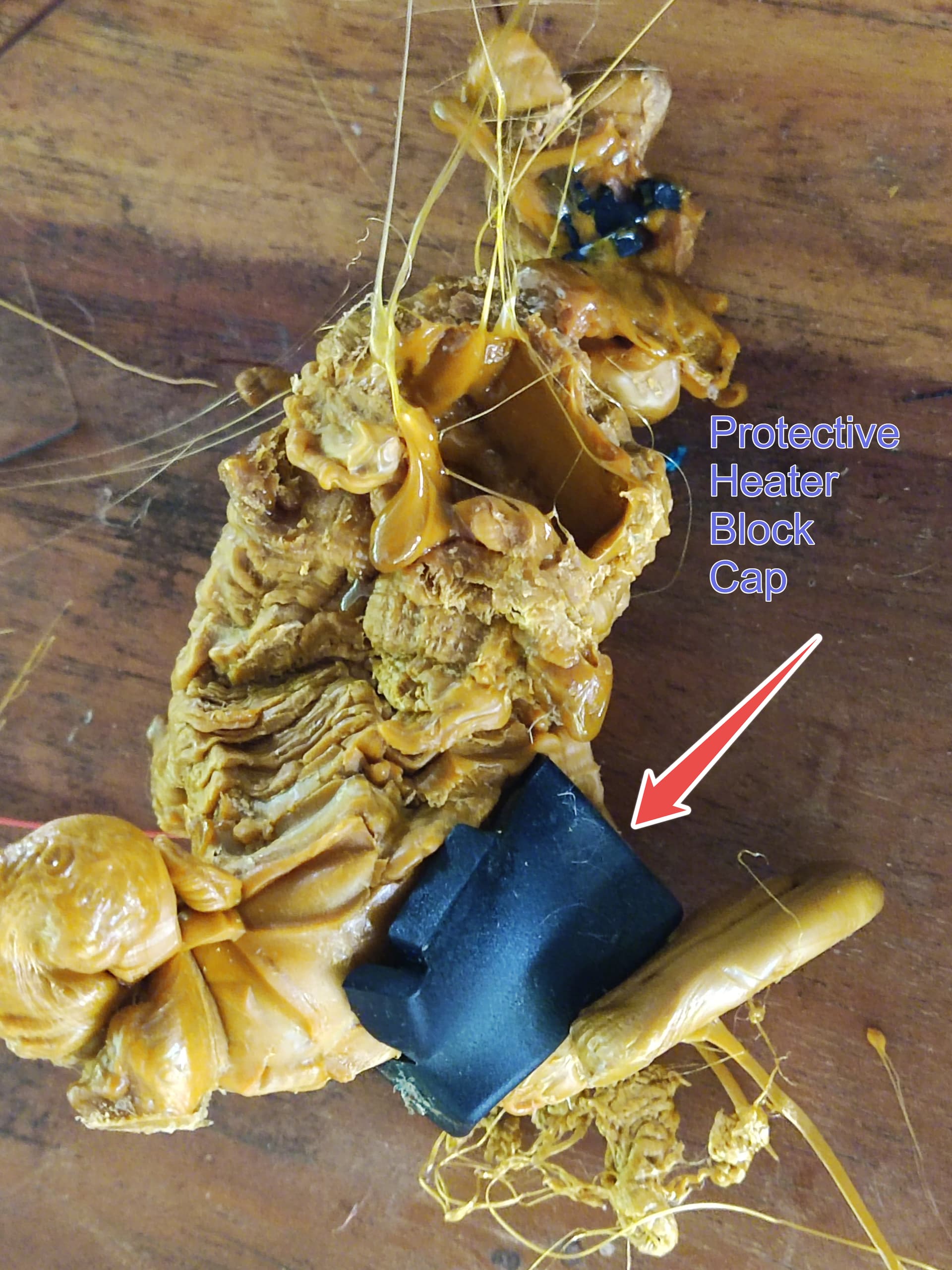
somehow the melted plastic had made its way above the nozzle into the works of the printer head assembly and dried there, also forcing the protective heater block cap off and coating the entire undercarriage with an inch and a half mess;
i didnt have a blow torch so i just upped the nozzle to 300, i could they pry some of the now softer plastic away from the undercarriage ; the plastic in the works above the nozzle didnt soften much and looked hopeless, some wiring is now embdded in that large glob
I’m not sure what you’re saying here. As far as I know, if your retraction distance is too large, you’ll get some small blobs (aka “zits”) on your print but nothing like what you’ve got here.
For something like this, I’d guess you have material leakage between your heater block, heat break or nozzle - with there being a good chance your nozzle is blocked resulting in higher pressure inside the heater block.
Possibly. You didn’t say if it was boden or direct drive (I’m not familiar with that model) but if it is boden then having a large retraction could cause the tube to come loose and start to move up and down causing a leak at the bottom near the nozzle, causing that mess.
If the bottom layers are good, then I would think that the catastrophe happened after they were laid down; the way you’ve written it, it sounds like before. Are you sure this is what you meant to say?
As for why, did you change anything before the print? Maybe something loosened over time.
Personally I would doubt that this would be the case, although it is not impossible.
I have never seen this issue be caused by upping your retraction distance, the most common issue I see with upping your retraction distance is that you set it too far and the hotend clogs.
More likely what happened was that the printer just loosened up over time, I would be willing to bet that over 75% of the people on this forum have run into a similar issue at some point. Just try your best to clean it up and make sure everything is tightened down properly. Generally I just check between every couple of prints, if I start to notice some filament making the great escape I will take apart the hotend and clean it, then I make sure that everything is properly tightened when I re-install it.
My advise is just to take this accident as a learning experience, don’t feel too bad about it!
Matthew