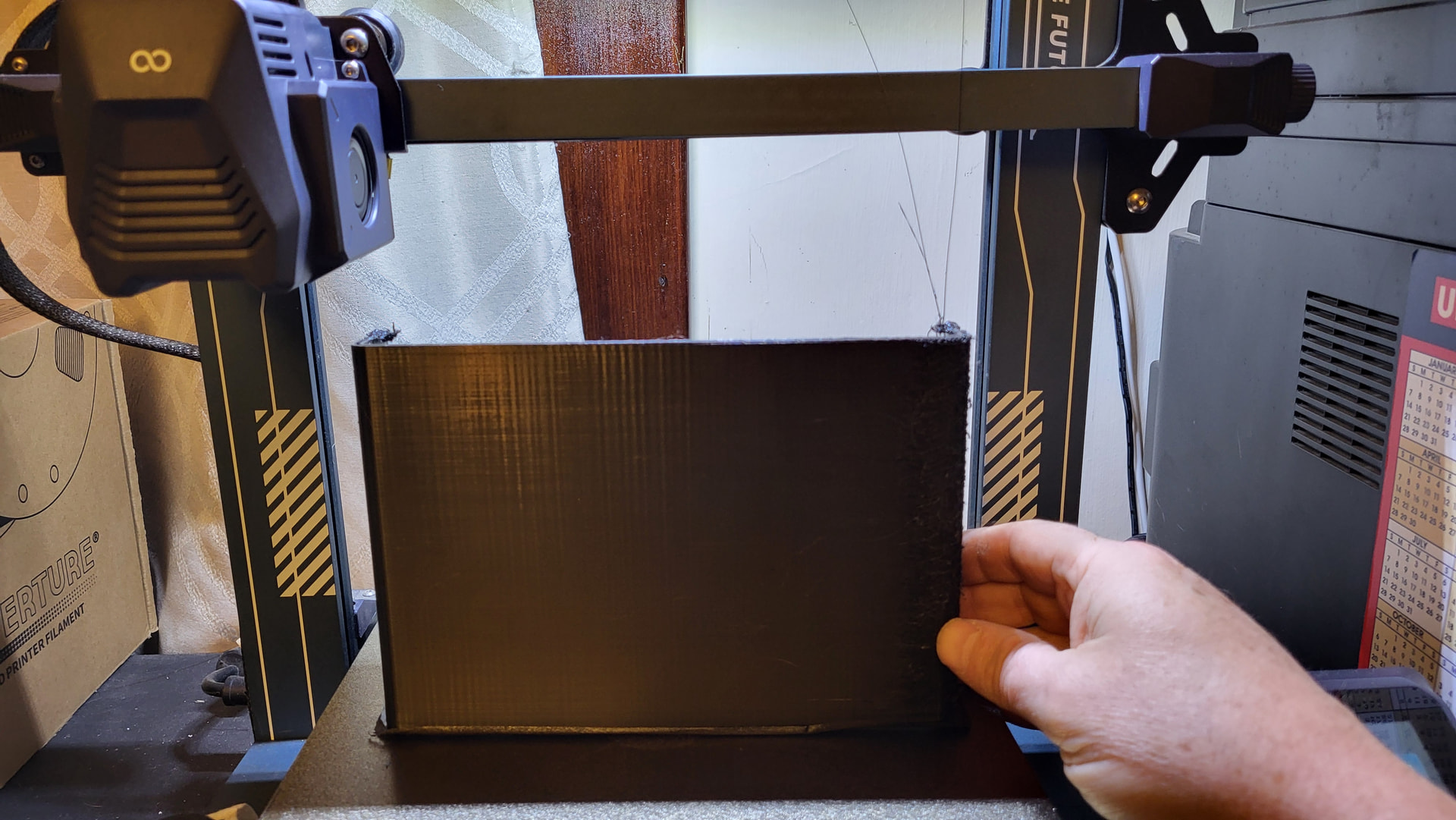
Hi- I am new to the 3d printing community and am in the learning stages. I have a Neptune 3 pro which was given to me and I’ve been able to do some good basic printing. I attempted to print a storage box, which is the largest I’ve attempted so far at 8” wide, 2” deep and 8” high. I am using Elegoo’s version 5.6.0 Cura application and PETG black filament from OVERTURE. Connection is via USB cable from a windows 11 pro pc. The microsd slot is not liking my sd cards; issue for a later time. Printing at 225C and a build plate at 72C, 0.4 brass nozzle. I’ve learned the reason for many issues so far and have been able to fix accordingly. However, this print offers some new issues.
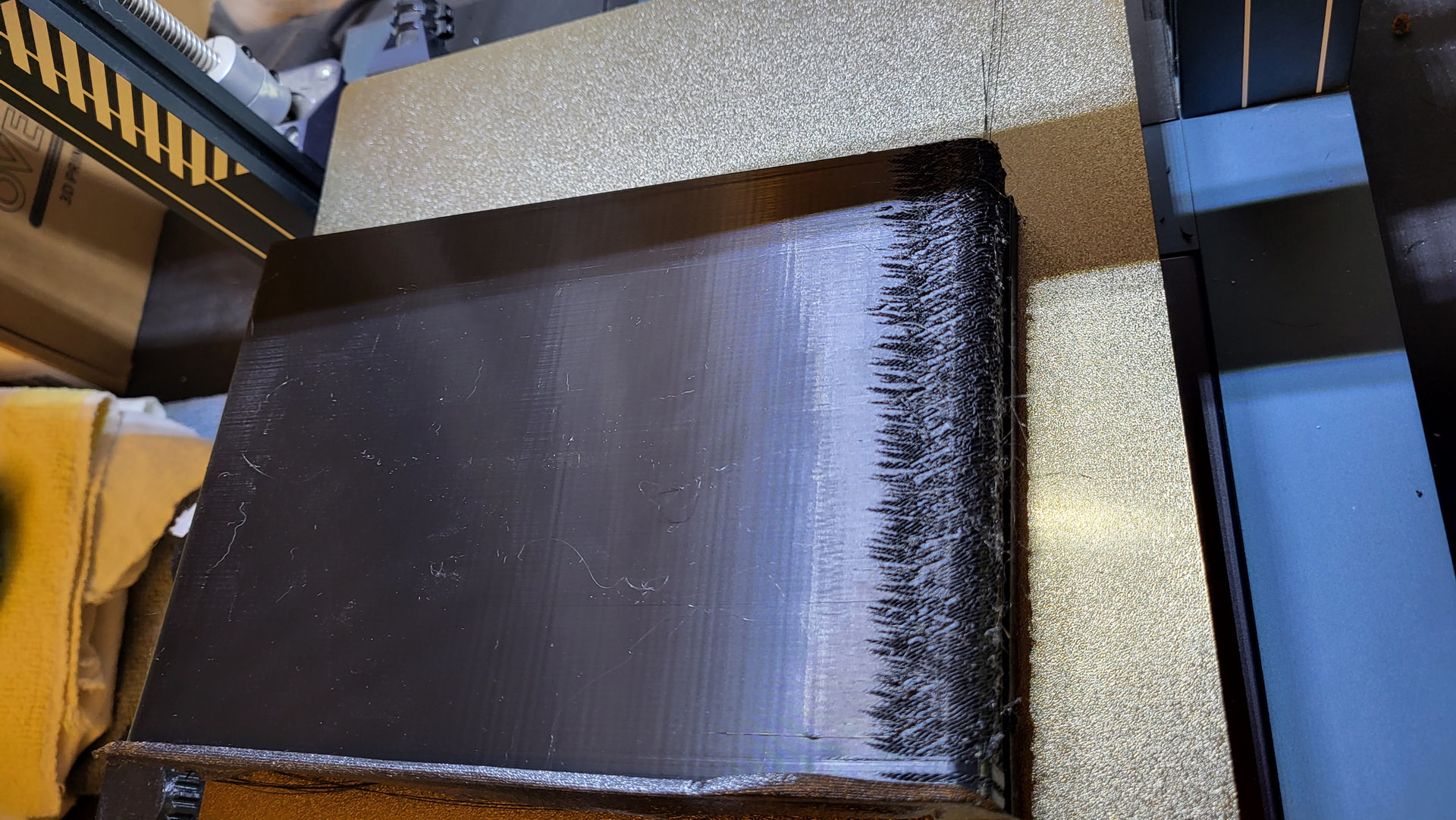
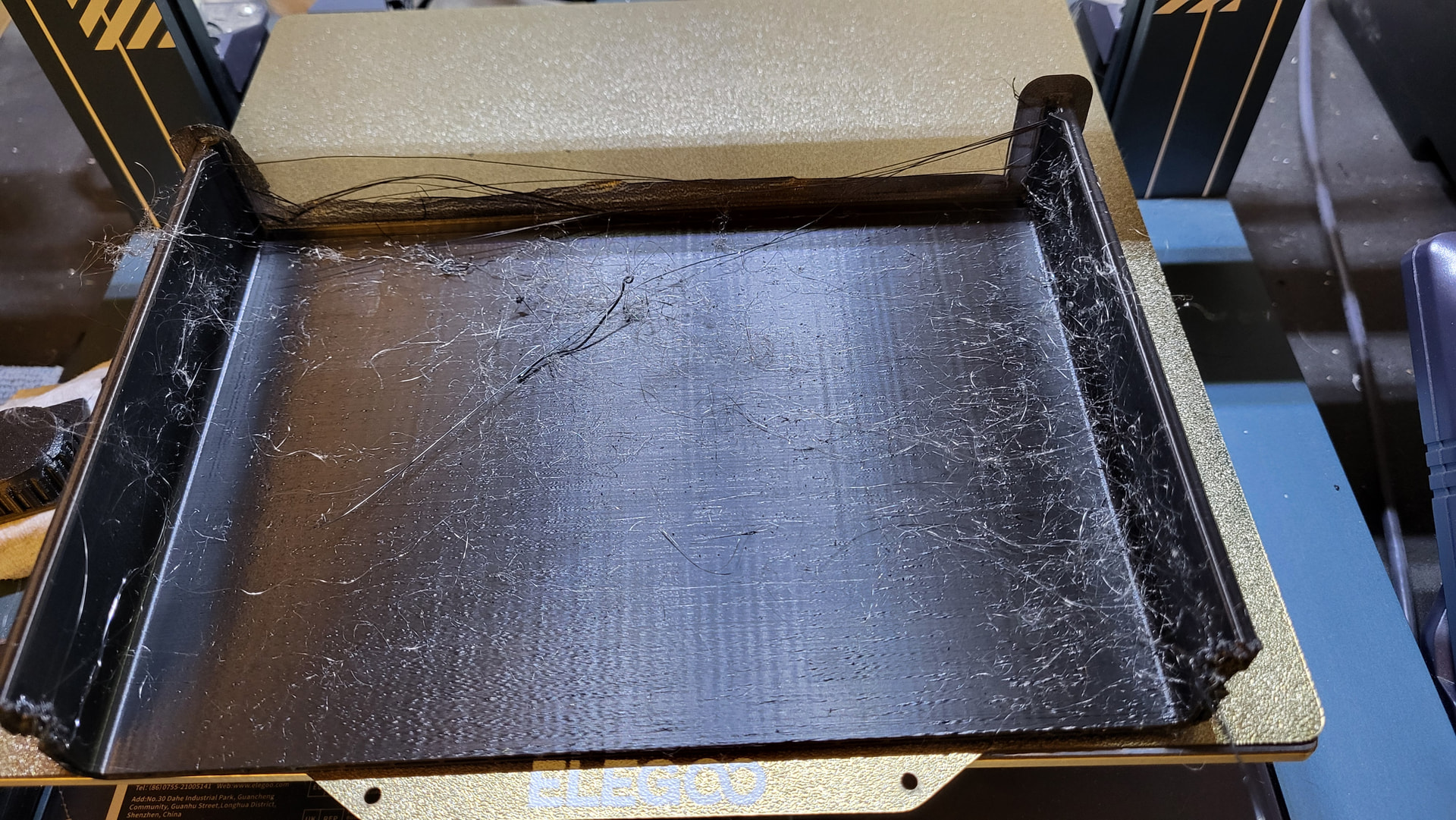
The print started successfully, however once the drawer started to build, I noticed a defect on one corner that looked like some kind of dragging just on that corner. Also, I noticed what looks like cobwebs, finer than spider webbing, building with the print. Then, about 5.25 inches up from a 8 inch build, the Z path stopped traversing up and the print head continued to print strings across the drawer. I had to cancel out of the program with task manager to shut down the printer.
I verified the X, Y and Z paths traversed fully successfully, checked the print nozzle and surrounding area for debris, nothing. I am at a loss. Any pro tips would be greatly appreciated before I commit another 400g to a print like this.
Images for clarity. Thanks 10^10.
Did the corner lift! If it did then that would explain the dragging.
I checked the end with a straight edge, and it appears that corner did lift. I didn’t see it with my eyes until I put a straight edge on that side. Thanks Loosenut! What about the dusty cobwebs? Haven’t come across that issue before.
the filament could be wet or the nozzle worn out. Try drying the filament first check your temp against the m=filament recommendations and try that. If it is still stringing replace the nozzle. I use a fair bit of carbon fibre filament and a big print will kill a nozzle if it is brass.
Maybe I’m still a bit miffed by a design choice, but check your ribbon cable to your print head at the height where your job failed - is it getting a bit more strain, or crimping happening? Mine failed at 5 cm (~2 in) on all jobs when I was all the way to the right with a print job. that turned out to be a damaged ribbon cable - it was slowly sawing it’s self apart with the flexing of the cable. 2 cm more of ribbon cable would’ve prevented that, but that’s not how Creality designed my model. I went hunting and found slightly longer ones on Ali Express and have given as much slack and printed a channel guide to keep my ribbon cable from flexing across the top of the print head.
Not saying this is what’s going on, but it’s worth a look for the z height failure. A simple way to test would be to run a tall square corner column in vase mode over on the far right side of the printer.
Check for debris as well in the z axis screws. As for the lifting - a brim or mouse ears will help. If it still lifts, and If you’re brave like Loosenut, tape the brim down after it’s formed while the printer’s running - are you feeling lucky? 
I echo Kitedemon’s suggestion for the stringing - run a few temp tower tests to see what the optimal temp should be for your filament. Fortunately, it’s fairly easy to clean up on most big prints.
@dkerrivan - awesome info as well. thanks so much. Surprisingly, as I worked the z axis, I did notice the ribbon cable get tight at the far high end of the travel. I had excess on the X axis side of the clamp and gave the Z axis some more breathing room . IF the print fails again at the Z axis height, I will look into replacing that cable as it may have a break inside that is hampering high prints. I did check for debris as well.
I printed several spool center desiccant containers for my spools and keep them in the bags when not in use for more than a day. I know about drying in an over at about 100F/38*C for a few hours.
Most appreciated on the input. Thanks 10^10!
@Kitedemon - as a newborn printer, I lapped this info up like warm milk. such an informative video. Thanks for sharing!! I purchased some cheap nozzles a while back, I am inspecting them without doubt. I’ve been working with my printer on my temps for both the nozzle and bed to get good prints, using the recommendations on the spool as a baseline. Thanks so much!
Update: - I checked the nozzle, its definitely worn. Amazing how PETG wears. My eyes opened. Will be looking into better quality/durable nozzles in the future.
Sounds like stringing. With PETG it is just a fact of life, much worse then with PLA. Usually it just wipes off or use a lighter to burn it off. DON’T use a hair drier, it can ruin the print. You can look up vids on Youtube that show how to reduce it some.
When I started 11 years ago… geeez. I discovered how poorly worn nozzles print and how quickly they wear. I started buying hard wearing nozzles. I have used E3D X Nozzles I am still on the first set lets guess 6 years one now. Lately I have been using Diamond back. Both are fantastic. I really never have worn nozzles since. th original x nozzle has made tons of prints and I still mostly use carbon fibre on it. Years and years of prints.
Thanks for the experiential wisdom @kitedemon! I can manage the cobwebs, as long as I know what they are. I was concerned it was part of the issue. I’ve ordered some steel nozzles as well for the printer, the more ya know . . .
PETg is twitchy with being dry. I rarely get strings at all. I buy good quality filament and keep it in a sealed bag with desiccant once opened. I don’t tend to leave it in the printer , I back it out once printed. I use a heat gun to clean prints when I do need too, but that is uncommon. no fiddling around with temp towers I have always found it redundant as 99% of the time the manufacturers temp recommendations are spot on. I do calibrate pressure advance every change of material and print speed when the seasons or materials change. The matte then glossy lines bug me, a lot. When prints should be glossy and are turning matte that is a layer adhesion issue waiting to happen. BAMBU I’m looking at you!!!