I replaced the hot end, PCB board and main board on my K1 Max printer and my prints are coming out like this. What is causing this?
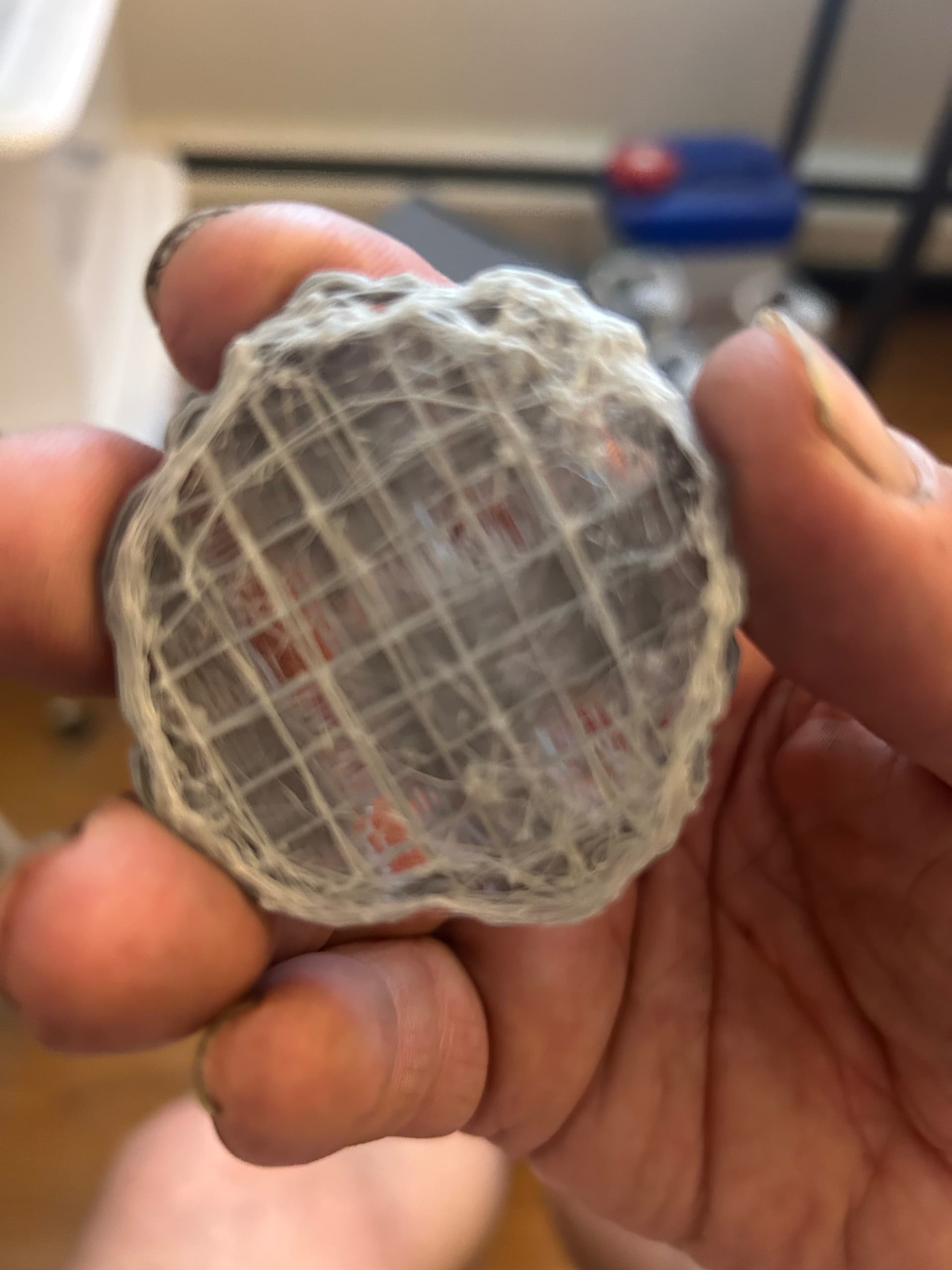
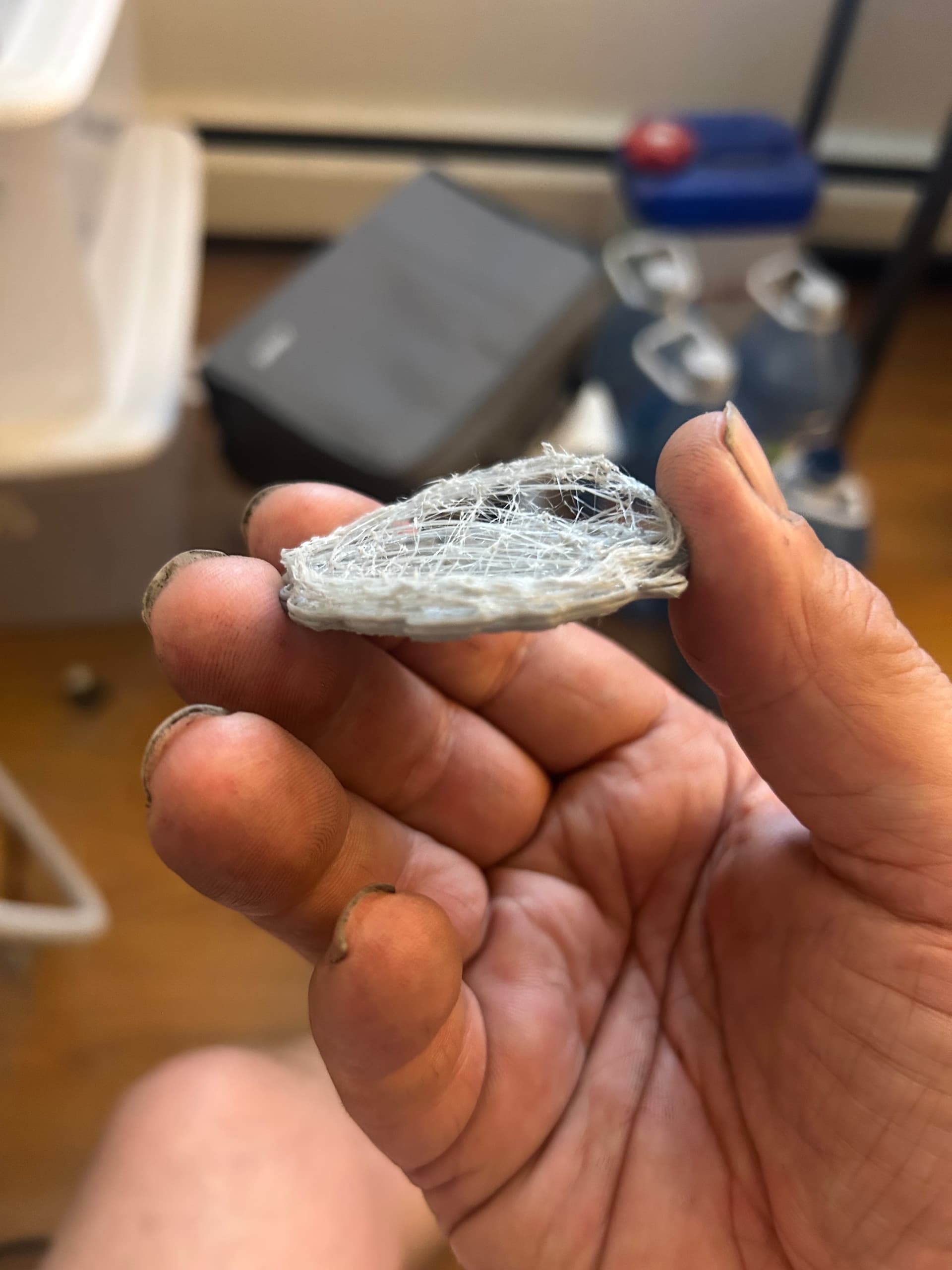
Was it doing this before you made the changes?
Yes. Before I replaced the main board, PCB board and hot end it was doing the exact same thing.
the printer extrudes properly but it has that feathery look when it prints.
My 2 cents, it is having an extruding problem. Could be something caught in the extruder gears or the hot end is set to a too high of temparature.
The extruder extrudes when I extruded. I just replaced the nozzle and hot end two months ago and have not used it since. I set the hot end to 210 C
Not a K1 owner, but I do own another Creality printer… What are you printing with? (PLA, PETG, ABS, etc.) What’s your print speed? What are your fan settings, etc. etc. etc.
Unfortunately, not enough info from the pics to tell, but I’d hazard too fast a speed. I run PLA at 210 in my CR10 Smart Pro, and as long as I get good bed adhesion, and my Z axis remains free of debris of any kind, my layers generally work, but I also don’t print at max speed. I let the blower run at full for PLA, but drop the fan speed to the recommended values for my model of printer for PETG, though I’m still on the learning curve with that stuff - it makes lovely cobwebs. 
Oh, and how humid is your place? “Wet” filament adds new challenges - usually for me a multitude of small, yet visible pits where the steam blows holes in the layer as it prints.
There are of course a host of other possible variables that could be impacting you. I’d go back to basics, and run through some of the Teaching Tech calibration tutorials. takes time, but costs less in parts.
Well it is a bad news and somewhat better news situation. Since it was doing all this before you replaced the parts it probably isn’t any of then that is the problem, the slightly better news is that you now have spare parts. As dkerrian said there is a tendency to run these high speed printer to fast and you get poor performance.
Is the filament laying down on the bed and just not sticking or is it laying it down to high above the bed so it just lays there and gets dragged around the bed?
The printer heats up when extruding and extrudes.
When I set the temperature to print it goes up to 210 C no problem.
Here is a failed print I just made. It under extruded.
Could moisture be a problem?
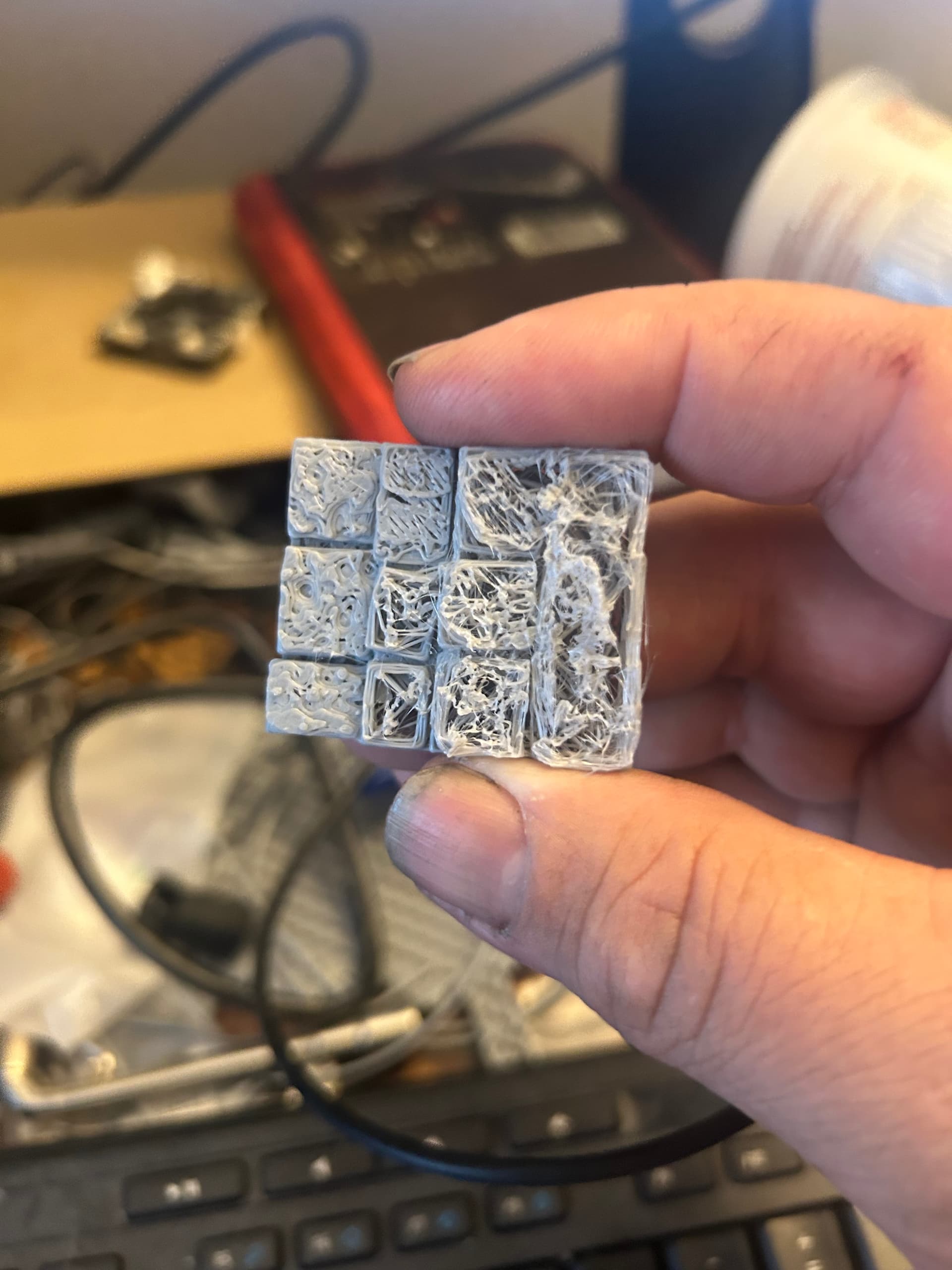
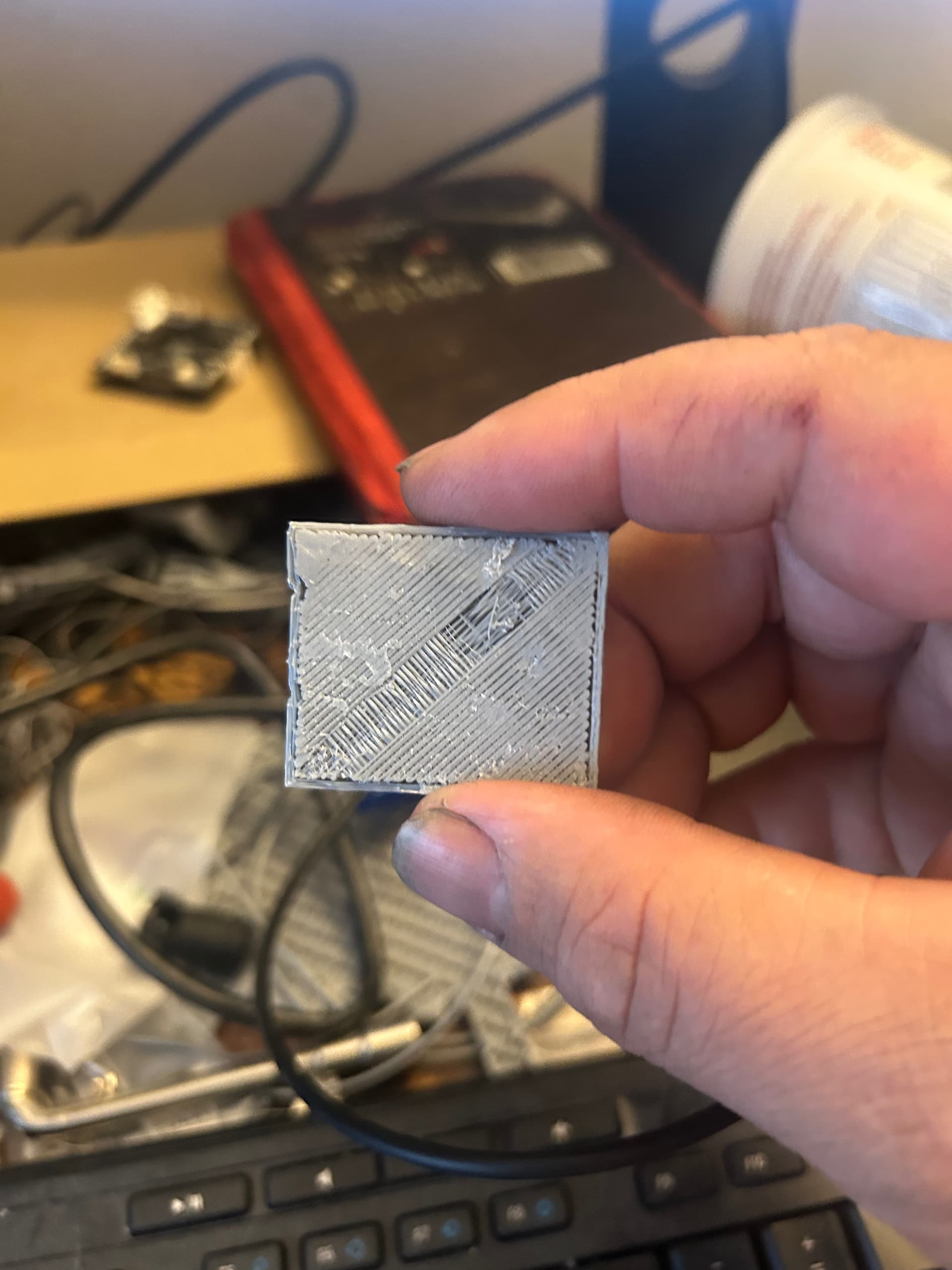
I still would look at the extruder gears. I had a small piece of filament stuck in the mechanism which hampered the flow.
Check your “Flow Rate”. The K1 Max has auto z offset but you need to adjust the flow rate to get good layers. Check out You Tube for videos on this.
It looks like under extrusion. All of the above could be it and it could be a nozzle clog partial. When you extrude filament by a command does it come out nice straight and even? or does it spear off to the side or is erratic? The erratic is partial clog. and the nozzle needs cleaning of replacing. Brass wears quickly so just a replacement is usually the fastest.
The K1 Max comes with a hardened nozzle so it is not likely worn out. If it comes out in a narrow line OK, if it comes out and get really thick, all most a MM wide then it is foaming and needs to be dried. Wet filament is problematic. A picture of the line extruding would help.
When I push the filament through the extruder it comes out like this… And when left alone to extrude it sometimes comes out like this…
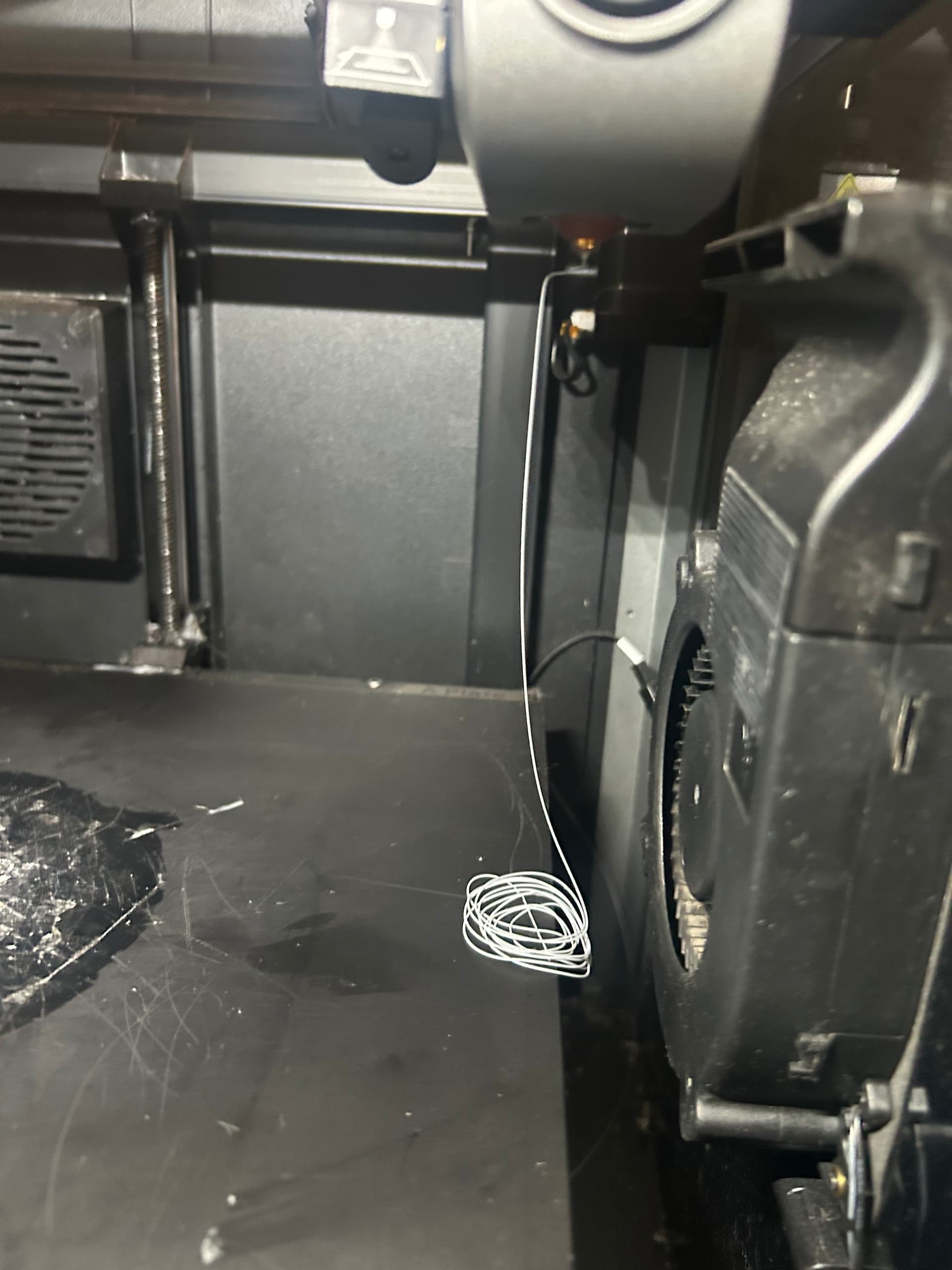
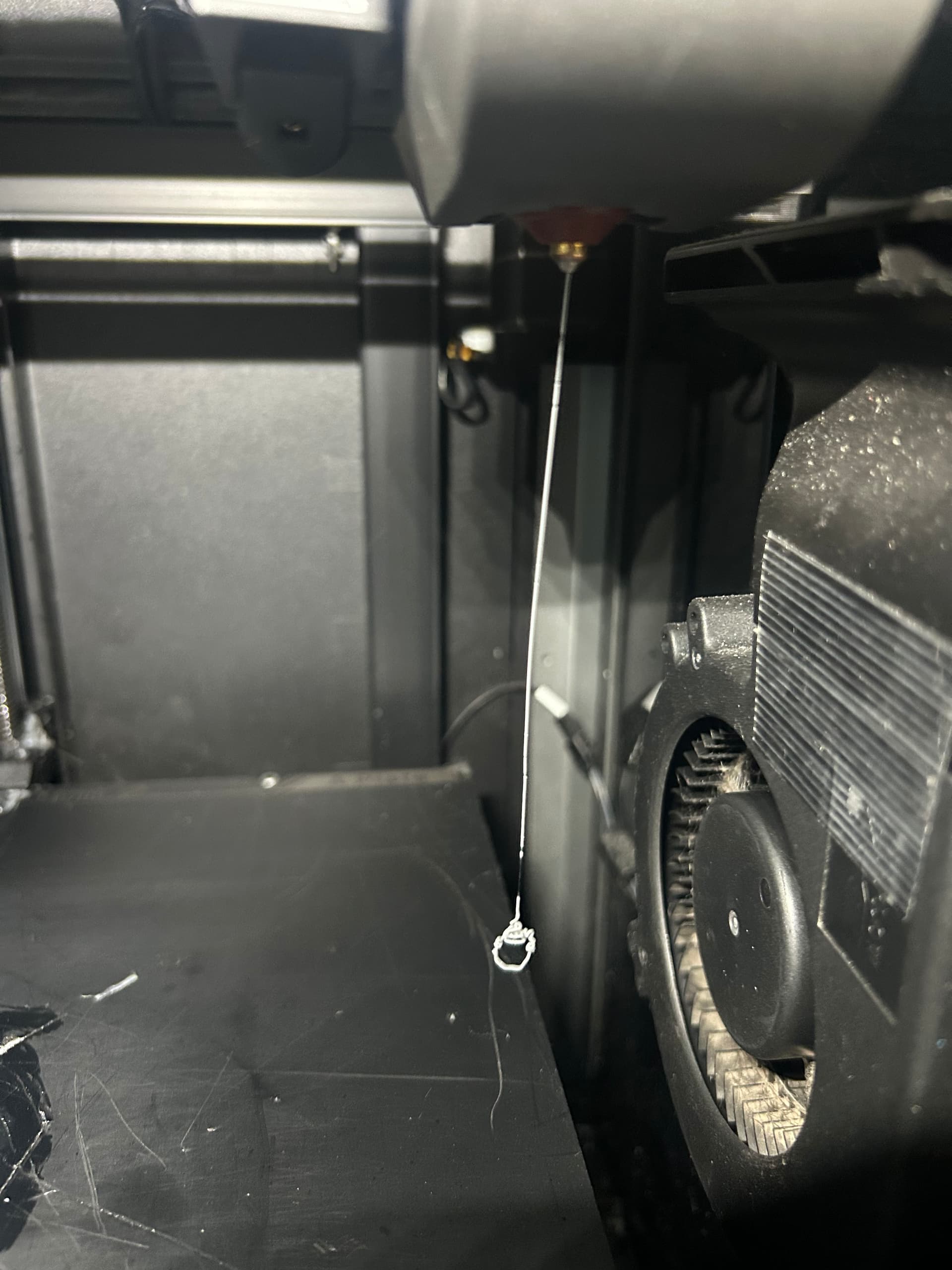
Approx. how thick is the extruded filament. Less then .2-.3MM (.010-.015” for those not afflicted with the metric system) or greater then 1MM (.040”).
You might also want to give your fans a good cleaning as well. I find I get better results when I remove the pla/petg “cobwebs” that accumulate. Fans certainly run a bit quieter for me afterwards.
I have a K1 Max and I have had a few times when the filament jams up inside the gears. Remove a few screws and pull the whole assembly out. The case with the gears opens up like a clam shell. So check that the gears are turning properly and that they are not gummed up with small filament pieces. Also the K1 should sense everything (Z offset and the like properly) - especially if you do the full scan before printing. Check the quality of the filament and the slicer - I now use ORCA rather than the Creality one. Also, keep moisture away from PLA (I have a roll dryer, and use vacuum bags and a desiccant to keep things dry now). Lately I have been using PETG because it doesn’t need drying and is actually stronger and about the same price per roll. Watch out about having temperatures right as each brand seems to have its sweet spot. I use 204-210 for PLA, but on one brand I have to go down to 190C. For PETG I use 245C as I get what you get at 250 or higher. Also I have slowed the printing down a lot - like run at 50% to get the best finish. Although you can use the K1 bed as is - lately I have been putting glue stick down for small parts. I have 5 Creality printers and the K1 Max is quite impressive compared to the older ones. It is just a bit too fast in my mind…so reduce the speed play with the settings (there are a lot) to tune it in… Cheers, Tom
I have had that happen also, Don’t know why.
I checked the gears. There is nothing jamming them.
All of the parts on my k1 Max are replaced: PCB board, hot end and main board. It extrudes. Does the filament have to be dried? Will that make a difference? It extrudes filament
That what we need to know this for. If it extrudes “wide”, greater then.2-.3MM, that is called foaming and it is probably wet and needs dried.
If the print head skips while extruding it can cause that. My K1 Max was skipping while extruding. Disassembled the print head and gave it a good cleaning. Looked thru all filament paths etc and could see no issues. It still skipped while extruding. At my wits end I decided to push the filament hard thru while extruding to help the process. Problem solved and working fine since.